Read the release notes
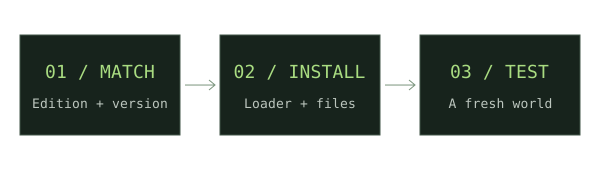
Find the official announcement for the feature you want. An announced feature is not automatically in a snapshot.
Protect your saves
Back up your worlds and create a separate game directory for testing.
Enable snapshots
In the official Java launcher, open Installations and enable the snapshots filter.
Create a testing installation
Choose the exact snapshot mentioned in the release notes. Use the separate directory and start a new world.
Check the feature
Follow any experimental-feature instructions from that build’s notes. Keep test saves separate from stable worlds.
If something does not work
Bedrock Preview is a separate testing channel. A Java snapshot number does not establish Bedrock support. Throwing Disc testing availability is not verified in this catalog.
For new weapon downloads, start with our Minecraft Throwing Disc field guide, then compare Pokato’s Java mod and CadenceDev’s Bedrock add-on against your setup.
Sources & verification
Primary sources take priority. A listed source establishes declared support; it is not an in-game test.
OfficialMinecraft Snapshot 24w11a — testing instructionsMojang Studios · Verified Nov 17, 2026