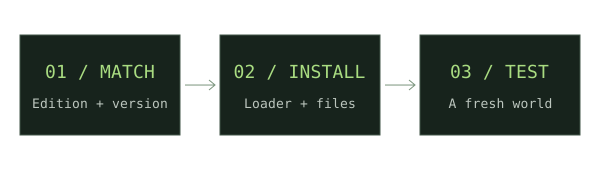
Install the intended Minecraft version
Run that Java version once, then close the game. Keep a backup and a separate directory for your modded profile.
Install Fabric Loader
Get the installer from Fabric’s official site. Select the same Minecraft version and create the launcher profile.
Read the mod requirements
Choose a file explicitly marked Fabric. Install Fabric API if the mod lists it as a dependency; Fabric Loader and Fabric API are separate.
Place the jars
Copy the matching mod and dependencies into the profile’s mods folder without extracting the jars. Remove duplicate versions of the same mod.
Launch and check
Start the Fabric profile and open a test world. For multiplayer, also check which mods the server requires.
If something does not work
If the mod does not load, confirm you launched the Fabric profile and used its game directory. A Forge or NeoForge jar cannot be assumed to work in Fabric.
For new weapon downloads, start with our Minecraft Throwing Disc field guide, then compare Pokato’s Java mod and CadenceDev’s Bedrock add-on against your setup.
Sources & verification
Primary sources take priority. A listed source establishes declared support; it is not an in-game test.
Developer documentationInstalling mods — Fabric player documentationFabricMC · Verified Nov 17, 2026Developer documentationInstalling FabricFabricMC · Verified Nov 17, 2026